

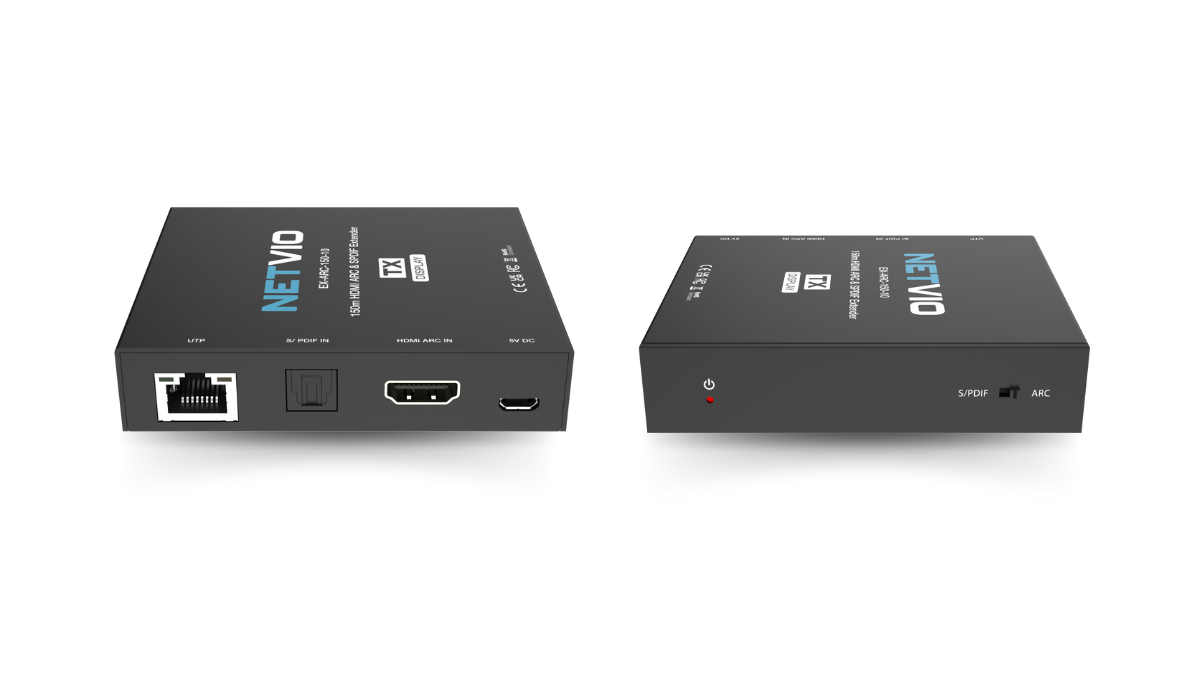


EX-ARC-150-10
HDMI ARC & SPDIF Audio Extender (150m)
-
Flexible Integration — Works equally well with ARC-enabled TVs and non-ARC sources via SPDIF.
-
Simplified Cabling — A single CAT cable carries audio and power, reducing clutter.
-
Reliable Compatibility — Supports CEC for ARC devices, ensuring smooth control and handshake.
-
Professional Performance — Maintains low jitter, high fidelity audio over long distances.
-
150 m (492 ft) Transmission — Extend audio up to 150 m (96 kHz) or 90 m (192 kHz).
-
ARC & SPDIF Modes — Switchable between HDMI ARC or optical SPDIF pass-through.
-
CEC Pass-Through — Maintains device communication when in ARC mode.
-
Audio Format Support — PCM 2.0, Dolby 5.1, DTS 5.1.
-
High Sample Rates — Up to 192 kHz at 24-bit resolution.
-
PoC Powered — Bidirectional Power over Cable with Micro-USB power option.
-
Compact & Durable — Robust metal housing for long-term reliability.


.png)
150m (492ft)
Designed for ARC
SPDIF Mode
Plug & Play
PoC
Soundbar Accessory
The Netvio EX-ARC-150-10 is the perfect accessory for ARC-enabled soundbars, including Sonos. By extending HDMI ARC audio up to 150 m (492 ft) over a single Cat6/6A cable, it eliminates the limitations of short HDMI leads and the difficulty of running thick in-wall HDMI.
Using the convenience of slim, flexible Cat6/6A cabling, installers gain far greater freedom in routing and placement, while homeowners enjoy optimal soundbar positioning and reliable audio return from the TV.


Yes. The EX-ARC-150-10 can be switched between HDMI ARC mode with CEC pass-through and optical SPDIF pass-through mode. In ARC mode, it allows TVs and ARC-enabled devices to send audio back to amplifiers or AVRs while maintaining control signals via CEC. In SPDIF mode, it functions as a long-distance digital audio extender for sources that do not support ARC, giving installers flexibility in a wide variety of system designs.
The extender is designed to operate over standard CAT5e or CAT6 cable. For shorter runs, CAT5e is sufficient, but for maximum distances — up to 150 m (492 ft) at 96 kHz or 90 m (295 ft) at 192 kHz — CAT6 is strongly recommended. In environments with high electrical interference, a shielded variant (STP) may be preferred to ensure stable, noise-free performance.
Yes. The EX-ARC-150-10 supports PCM 2.0 for stereo audio and also handles popular compressed surround formats such as Dolby Digital 5.1 and DTS 5.1. This makes it suitable not only for simple background music zones but also for home theater systems, commercial AV installations, and hospitality environments where immersive surround sound is required.
No. The extender uses bidirectional Power over Cable (PoC), so only one device — either the transmitter or the receiver — needs to be connected to a power source via Micro-USB. The second device will automatically receive power through the CAT cable. This reduces the need for additional outlets, simplifies wiring, and makes installation more flexible. Both Micro-USB power supplies are included in the box to give installers options during setup.
The EX-ARC-150-10 is commonly used in residential, corporate, and hospitality AV systems. In homes, it allows TVs to return ARC audio to amplifiers located in equipment racks far away, ensuring clean integration with surround systems. In commercial settings, it is ideal for extending digital audio between displays, projectors, or conferencing systems and centralized audio processors. Its support for both ARC and SPDIF makes it extremely versatile, bridging the gap between modern and legacy audio systems with a single, compact solution.
.png)


.png)


